
An agent has picked up the nightly link check. Its heartbeat is current. The task says “finished.” Can the next editor tell which links need fixing without asking the agent what it did?
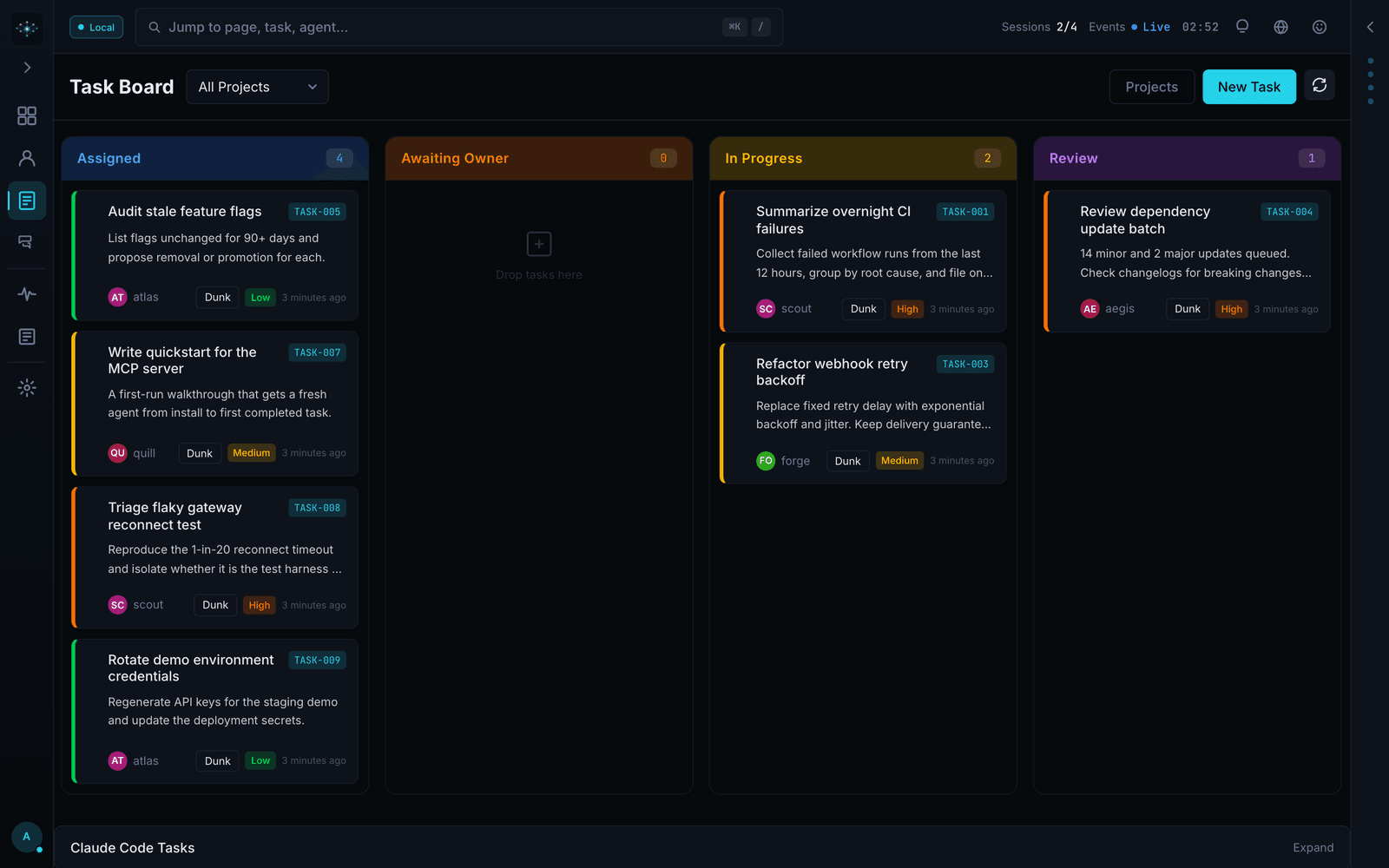
Mission Control gives operators a task board, an activity stream, and a review step. For a link check, the evidence worth keeping is a report another person can open, with enough detail to repeat a failed request. Here's a small exercise to use on a local instance. Mission Control project page
Give the agent a task a reviewer can finish
Use two pages you control. Put one working link on the first page and one link to a deliberately missing page on the second. Save both page addresses in the task. Ask the agent to check the links and return a report. Leave editing the pages to the owner.
Write down what passing means before assigning the task. In this example, the report must identify the source page, the destination, the observed HTTP status, and the time of the check for each link. The two known results give the reviewer a way to tell whether the agent checked both pages.
Follow the task through the queue
Register a worker, assign it the link check, then have that worker poll its queue. In Mission Control, polling can claim the task and move it into progress. Use the task board to watch the exercise. A second worker polling as the first can change what you're trying to observe. The project quickstart documents the registration, queue, and heartbeat calls. First-agent quickstart
A heartbeat answers a narrow question. The worker is still checking in. It could be waiting on the first page while the second sits untouched. If the task stalls, read the last activity against the task ID before dispatching another run.
Decide what the reviewer accepts
Suppose the worker reports “one broken link” and attaches a file. Open the file from the reviewer's account. If it contains only a destination, an editor with a hundred pages still has to find the page to fix. Return the task and ask for the referring page for each failed check.
On the next pass, open the two recorded destinations and compare the responses with the report. Record the report location and the review decision against the task. A destination may have changed since the run. In that case, retain both observations and their timestamps. The project documents how review and completion receipts fit into the task lifecycle. Mission Control orchestration
Read the result the next morning
Hand the task ID to someone who missed the run. Can they open the report, find the page that needs an edit, and see who accepted the work? If the report lives only in the worker's temporary directory, change the handoff before scheduling the job. A working review survives the end of the agent session.