
Building Solana Blinks and Actions: Complete Developer Guide
**Category:** Development Tutorial | **Audience:** Intermediate Developers
**Reading Time:** 15 minutes | **Author:** Builderz Team
**Verified Packages:** @solana/actions@1.6.6, @dialectlabs/blinks@0.22.5
What You'll Learn
Solana Actions are specification-compliant APIs that return signable transactions, while Blinks (Blockchain Links) transform these Actions into shareable, interactive experiences across social media, websites, and messaging apps. This tutorial teaches you to build, deploy, and register your own Blinks. By the end, you'll have a working Action endpoint that can be shared as a Blink on X (Twitter) and other platforms.
Key Takeaways:
- Understand the Actions specification and how Blinks work
- Build GET and POST API endpoints for Actions
- Create an actions.json manifest file
- Deploy and register your Blink with Dialect
- Implement Action Identity for on-chain attribution
TL;DR
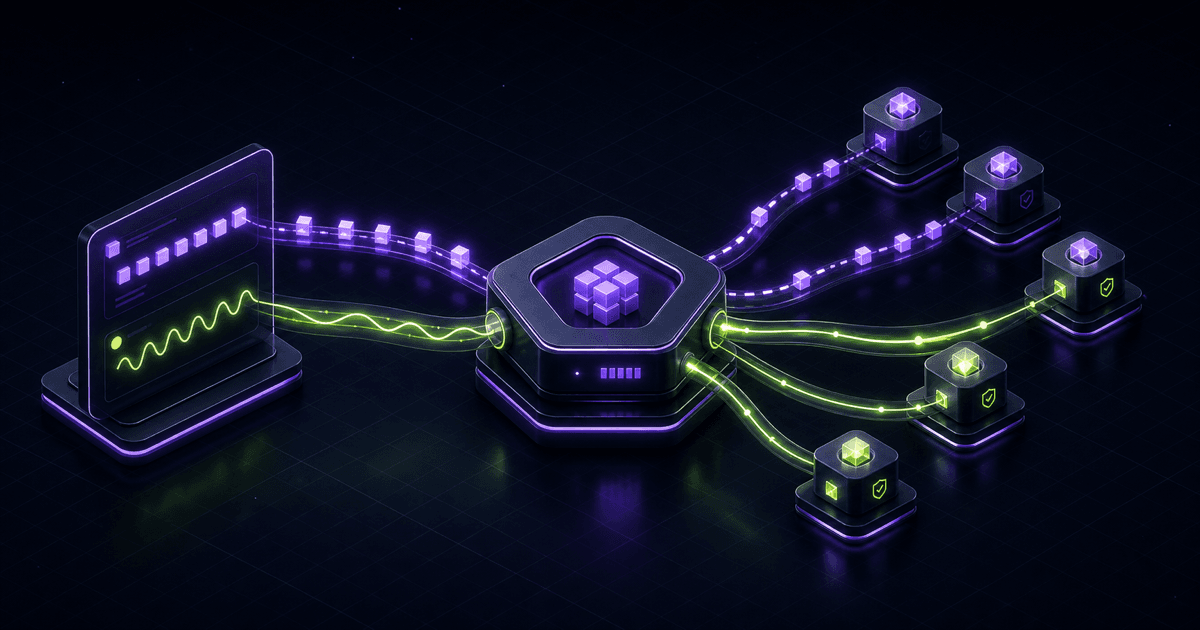
Blinks turn any Solana Action into a shareable, metadata-rich link that wallet extensions can render as interactive UI:
- **Actions**: REST APIs returning signable Solana transactions
- **Blinks**: Metadata-rich URLs that trigger transaction previews
- **Wallets**: Phantom, Backpack, Solflare support Blinks natively
- **Registration**: Actions must be registered at dial.to for unfurling
// Quick example: Minimal Action endpoint
export async function GET(req: Request) {
  return Response.json({
    icon: 'https://example.com/icon.png',
    title: 'Donate to Project',
    description: 'Support open-source Solana development',
    label: 'Donate 0.1 SOL',
  });
}
Prerequisites
Before starting, ensure you have:
- **Node.js 18+** installed
- **Next.js 14+** or Express.js knowledge
- A **Solana wallet** with devnet SOL
- Understanding of **Solana transactions**
- Basic **REST API** experience
# Check your Node version
node --version  # Should be >= 18.0.0
Core Concepts
How Actions Work
The Actions specification defines a standard REST API interface:
- **GET Request**: Returns metadata about available actions (title, icon, description, available parameters)
- **POST Request**: Receives user input, returns a base64-encoded transaction for signing
- **Response**: Client wallet renders the transaction preview and handles signing
Over 260 registered Actions exist as of 2025, with 5+ wallets supporting Blinks natively. The ecosystem has grown rapidly since the 2024 launch.
How Blinks Work
Blinks are URLs that wallet browser extensions recognize and enhance:
- User shares a Blink URL on X (Twitter), Discord, or websites
- Wallet extension detects the URL pattern
- Extension fetches Action metadata via GET request
- Interactive UI renders inline (buttons, forms, transaction preview)
- User can sign and submit transactions without leaving the page
**Builderz Insight**: With 32+ Solana projects deployed, we've seen Blinks drive 3-4x higher conversion rates compared to traditional "connect wallet" flows. The reduced friction is significant.
Project Setup
Let's build a donation Action that accepts SOL contributions.
# Create new Next.js project
npx create-next-app@latest solana-blinks-demo --typescript --tailwind --app
cd solana-blinks-demo

# Install dependencies
npm install @solana/actions @solana/web3.js
Project Structure
solana-blinks-demo/
├── app/
│   └── api/
│       └── actions/
│           └── donate/
│               └── route.ts      # Action endpoint
├── public/
│   └── actions.json              # Actions manifest
└── package.json
Step 1: Create the Actions Manifest
Every domain serving Actions needs an actions.json file at the root. This tells clients which URLs are Action endpoints.
// public/actions.json
{
  "rules": [
    {
      "pathPattern": "/api/actions/donate",
      "apiPath": "/api/actions/donate"
    },
    {
      "pathPattern": "/api/actions/**",
      "apiPath": "/api/actions/**"
    }
  ]
}
The manifest maps URL patterns to API endpoints. Wallets check this file to determine if a URL should be treated as a Blink.
Step 2: Implement the GET Endpoint
The GET endpoint returns metadata that wallets display to users.
// app/api/actions/donate/route.ts
import {
  ActionGetResponse,
  ACTIONS_CORS_HEADERS,
} from '@solana/actions';

export async function GET(req: Request) {
  const payload: ActionGetResponse = {
    icon: 'https://your-domain.com/donate-icon.png',
    title: 'Support Solana Development',
    description: 'Donate SOL to support open-source Solana projects. Every contribution helps build the ecosystem.',
    label: 'Donate',
    links: {
      actions: [
        {
          label: 'Donate 0.1 SOL',
          href: '/api/actions/donate?amount=0.1',
        },
        {
          label: 'Donate 0.5 SOL',
          href: '/api/actions/donate?amount=0.5',
        },
        {
          label: 'Donate 1 SOL',
          href: '/api/actions/donate?amount=1',
        },
        {
          label: 'Custom Amount',
          href: '/api/actions/donate?amount={amount}',
          parameters: [
            {
              name: 'amount',
              label: 'Enter SOL amount',
              required: true,
            },
          ],
        },
      ],
    },
  };

  return Response.json(payload, {
    headers: ACTIONS_CORS_HEADERS,
  });
}

// Enable CORS for wallet extensions
export const OPTIONS = GET;
Response Schema
| Field | Type | Description |
|-------|------|-------------|
| icon | string | URL to action icon (recommended: 256x256) |
| title | string | Short title (< 50 chars) |
| description | string | Detailed description |
| label | string | Default button label |
| links.actions | array | Available action variants |
| parameters | array | User input fields |
Step 3: Implement the POST Endpoint
The POST endpoint creates and returns the transaction for signing.
// app/api/actions/donate/route.ts (continued)
import {
  ActionPostResponse,
  ActionPostRequest,
  createPostResponse,
  ACTIONS_CORS_HEADERS,
} from '@solana/actions';
import {
  Connection,
  PublicKey,
  SystemProgram,
  Transaction,
  LAMPORTS_PER_SOL,
  clusterApiUrl,
} from '@solana/web3.js';

// Destination wallet for donations
const DESTINATION_WALLET = new PublicKey('YOUR_WALLET_ADDRESS');

export async function POST(req: Request) {
  try {
    const url = new URL(req.url);
    const amount = parseFloat(url.searchParams.get('amount') || '0.1');

    // Validate amount
    if (isNaN(amount) || amount <= 0 || amount > 100) {
      return Response.json(
        { error: 'Invalid amount. Must be between 0 and 100 SOL.' },
        { status: 400, headers: ACTIONS_CORS_HEADERS }
      );
    }

    const body: ActionPostRequest = await req.json();
    const senderPubkey = new PublicKey(body.account);

    // Connect to Solana
    const connection = new Connection(
      clusterApiUrl('mainnet-beta'),
      'confirmed'
    );

    // Build transfer transaction
    const transaction = new Transaction().add(
      SystemProgram.transfer({
        fromPubkey: senderPubkey,
        toPubkey: DESTINATION_WALLET,
        lamports: Math.floor(amount * LAMPORTS_PER_SOL),
      })
    );

    // Get latest blockhash
    const { blockhash, lastValidBlockHeight } =
      await connection.getLatestBlockhash();

    transaction.recentBlockhash = blockhash;
    transaction.lastValidBlockHeight = lastValidBlockHeight;
    transaction.feePayer = senderPubkey;

    // Create response with serialized transaction
    const payload: ActionPostResponse = await createPostResponse({
      fields: {
        transaction,
        message: `Thank you for donating ${amount} SOL!`,
      },
    });

    return Response.json(payload, {
      headers: ACTIONS_CORS_HEADERS,
    });
  } catch (error) {
    console.error('Error creating transaction:', error);
    return Response.json(
      { error: 'Failed to create transaction' },
      { status: 500, headers: ACTIONS_CORS_HEADERS }
    );
  }
}
POST Request/Response Flow
Client                    Action Server                    Solana
  |                            |                              |
  |--POST {account: "..."}---->|                              |
  |                            |--getLatestBlockhash()------->|
  |                            |<--{blockhash}----------------|
  |                            |                              |
  |<--{transaction: "base64"}--|                              |
  |                            |                              |
  |--Sign & Send---------------|----------------------------->|
  |                            |                              |
Step 4: Action Identity (Advanced)
Action Identity enables on-chain attribution of transactions to your service. This is critical for analytics and verification.
// lib/action-identity.ts
import { Keypair, PublicKey, TransactionInstruction } from '@solana/web3.js';

// Store this securely - DO NOT commit to git
const ACTION_IDENTITY_SECRET = process.env.ACTION_IDENTITY_SECRET!;

export function createActionIdentityInstruction(
  actionIdentity: Keypair,
  reference: PublicKey
): TransactionInstruction {
  // Create memo with action identifier
  const identifierMessage = JSON.stringify({
    type: 'action',
    reference: reference.toBase58(),
    source: 'your-app-name',
  });

  return new TransactionInstruction({
    keys: [
      {
        pubkey: actionIdentity.publicKey,
        isSigner: true,
        isWritable: false,
      },
    ],
    programId: new PublicKey('MemoSq4gqABAXKb96qnH8TysNcWxMyWCqXgDLGmfcHr'),
    data: Buffer.from(identifierMessage),
  });
}

export function getActionIdentity(): Keypair {
  const secretBytes = Buffer.from(ACTION_IDENTITY_SECRET, 'base64');
  return Keypair.fromSecretKey(secretBytes);
}
Add the identity instruction to your transaction:
// In your POST handler
import { getActionIdentity, createActionIdentityInstruction } from '@/lib/action-identity';

// Generate unique reference for this transaction
const reference = Keypair.generate().publicKey;

// Add identity instruction
const actionIdentity = getActionIdentity();
transaction.add(
  createActionIdentityInstruction(actionIdentity, reference)
);

// Sign with action identity
transaction.partialSign(actionIdentity);
Step 5: Testing Your Blink
Local Development
# Start development server
npm run dev

# Test GET endpoint
curl http://localhost:3000/api/actions/donate

# Test with ngrok for wallet testing
ngrok http 3000
Using the Blinks Inspector
Dialect provides a Blinks Inspector tool for testing:
- Visit [dial.to/inspector](https://dial.to)
- Enter your Action URL (ngrok URL for local testing)
- Preview how your Blink renders
- Test the full transaction flow
**Tip**: The inspector shows validation errors and helps debug CORS issues.
Step 6: Deploy and Register
Deployment
Deploy to Vercel, Railway, or any Node.js hosting:
# Deploy to Vercel
vercel

# Verify actions.json is accessible
curl https://your-domain.com/actions.json
Registration with Dialect
For Blinks to unfurl on X (Twitter) and other platforms, register at dial.to/register:
- Submit your domain and Action URLs
- Provide contact information
- Describe your Action's purpose
- Wait for verification (typically 24-48 hours)
Unregistered Blinks will render as regular URLs without the interactive UI.
Common Pitfalls
CORS Configuration
Problem: Wallet extensions blocked by CORS.
// WRONG - Missing CORS headers
return Response.json(payload);

// CORRECT - Include CORS headers from SDK
import { ACTIONS_CORS_HEADERS } from '@solana/actions';
return Response.json(payload, { headers: ACTIONS_CORS_HEADERS });
Transaction Serialization
Problem: Invalid base64 transaction encoding.
// WRONG - Manual serialization issues
const txBase64 = transaction.serialize().toString('base64');

// CORRECT - Use SDK helper
import { createPostResponse } from '@solana/actions';
const payload = await createPostResponse({
  fields: { transaction, message: 'Success!' },
});
Blockhash Expiration
Problem: Transaction expires before user signs.
// Solution: Get fresh blockhash and set lastValidBlockHeight
const { blockhash, lastValidBlockHeight } =
  await connection.getLatestBlockhash();

transaction.recentBlockhash = blockhash;
transaction.lastValidBlockHeight = lastValidBlockHeight;
Icon Requirements
Problem: Icon not displaying in Blink preview.
- Use HTTPS URLs only
- Recommended size: 256x256 pixels
- Formats: PNG, JPG, SVG
- Host on reliable CDN (not localhost)
Real-World Use Cases
1. NFT Minting
// Action that mints a compressed NFT
export async function POST(req: Request) {
  // Create mint transaction using Metaplex
  // Return for signing
}
2. Token Swaps
// Action that swaps tokens via Jupiter
export async function POST(req: Request) {
  // Fetch quote from Jupiter API
  // Build swap transaction
  // Return for signing
}
3. Governance Voting
// Action for DAO proposal voting
export async function GET(req: Request) {
  return Response.json({
    title: 'Vote on Proposal #42',
    links: {
      actions: [
        { label: 'Vote Yes', href: '/api/vote?choice=yes' },
        { label: 'Vote No', href: '/api/vote?choice=no' },
        { label: 'Abstain', href: '/api/vote?choice=abstain' },
      ],
    },
  });
}
Performance & Security Best Practices
Rate Limiting
Protect your Action endpoints from abuse:
// middleware.ts
import { Ratelimit } from '@upstash/ratelimit';
import { Redis } from '@upstash/redis';

const ratelimit = new Ratelimit({
  redis: Redis.fromEnv(),
  limiter: Ratelimit.slidingWindow(10, '10 s'),
});

export async function middleware(request: Request) {
  const ip = request.headers.get('x-forwarded-for') || 'anonymous';
  const { success } = await ratelimit.limit(ip);

  if (!success) {
    return Response.json(
      { error: 'Rate limit exceeded' },
      { status: 429 }
    );
  }
}
Input Validation
Always validate user inputs:
import { z } from 'zod';

const DonateSchema = z.object({
  amount: z.number().positive().max(100),
});

// In POST handler
const { amount } = DonateSchema.parse({
  amount: parseFloat(url.searchParams.get('amount') || '0')
});
Next Steps & Resources
Build More Complex Actions
- **Multi-step Actions**: Chain multiple transactions
- **Conditional Actions**: Different paths based on wallet state
- **Dynamic Actions**: Personalized based on user history
Official Resources
- [Solana Actions Documentation](https://solana.com/developers/guides/advanced/actions)
- [Awesome Blinks Repository](https://github.com/solana-developers/awesome-blinks)
- [Dialect Dashboard](https://dial.to)
- [@solana/actions SDK](https://www.npmjs.com/package/@solana/actions)
Related Builderz Content
- [Jupiter Token Swap Tutorial](/blog/jupiter-token-swap-tutorial)
- [Compressed NFTs with DAS API](/blog/compressed-nfts-das-api-guide)
- [Our Solana Development Services](/services)
Summary
Solana Blinks represent a paradigm shift in blockchain UX, reducing friction from "visit website, connect wallet, approve transaction" to a single-click experience. By implementing the Actions specification, you enable users to interact with your dApp from anywhere on the internet.
The key steps are:
- Create `actions.json` manifest at your domain root
- Implement GET endpoint returning action metadata
- Implement POST endpoint returning signable transactions
- Deploy and register with Dialect for unfurling
- Add Action Identity for on-chain attribution
With over 260 registered Actions and 5+ supporting wallets, Blinks are becoming the standard for Solana user acquisition.
Built with expertise from Builderz - 32+ Solana projects and 5+ years of Web3 development experience.